Descript vs Adobe Podcast review shows that both tools are AI‑enhanced audio editors, but they solve different editing pain points: Descript anchors the workflow in a live transcript that lets you cut, paste, and annotate as if you were editing a word document, while Adobe Podcast focuses on AI‑driven noise reduction and voice‑balancing to clean raw recordings before you even touch the timeline. In practice, Descript streamlines script‑first revisions, whereas Adobe Podcast speeds up the “quick‑fix” cleanup stage for solo hosts or interview recordings. Which one solves your specific editing challenges depends on whether you need transcript‑centric control or automatic sound polishing.
Imagine you’ve just wrapped a 45‑minute interview, coffee still steaming on the desk, and you’re staring at a mountain of audio that needs to be trimmed, cleaned, and turned into a polished episode before the morning deadline. Your mind races through the usual checklist—remove ums, fix background chatter, sync show notes—yet the raw file sits stubbornly in your DAW, demanding manual clicks and endless listening. You wish there were a way to edit by simply editing text, or to have the software magically mute the café hum without you hunting for the offending waveform. That moment of frustration is exactly where the right AI editor can turn hours of grunt work into minutes of purposeful editing.
Descript vs Adobe Podcast review: Definition, Core Features, and How They Work
Descript positions itself as a transcript‑first audio editor: after you upload a file, its speech‑to‑text engine produces a searchable transcript, and every word becomes a clickable cue in the waveform. This approach matters because it lets you cut entire sentences, rearrange paragraphs, or add speaker labels without ever opening a traditional multitrack view. For example, a podcaster who discovers a misquoted statistic can simply delete the offending line in the text, and Descript instantly removes the corresponding audio segment, preserving sync across the entire episode.
Additional Information
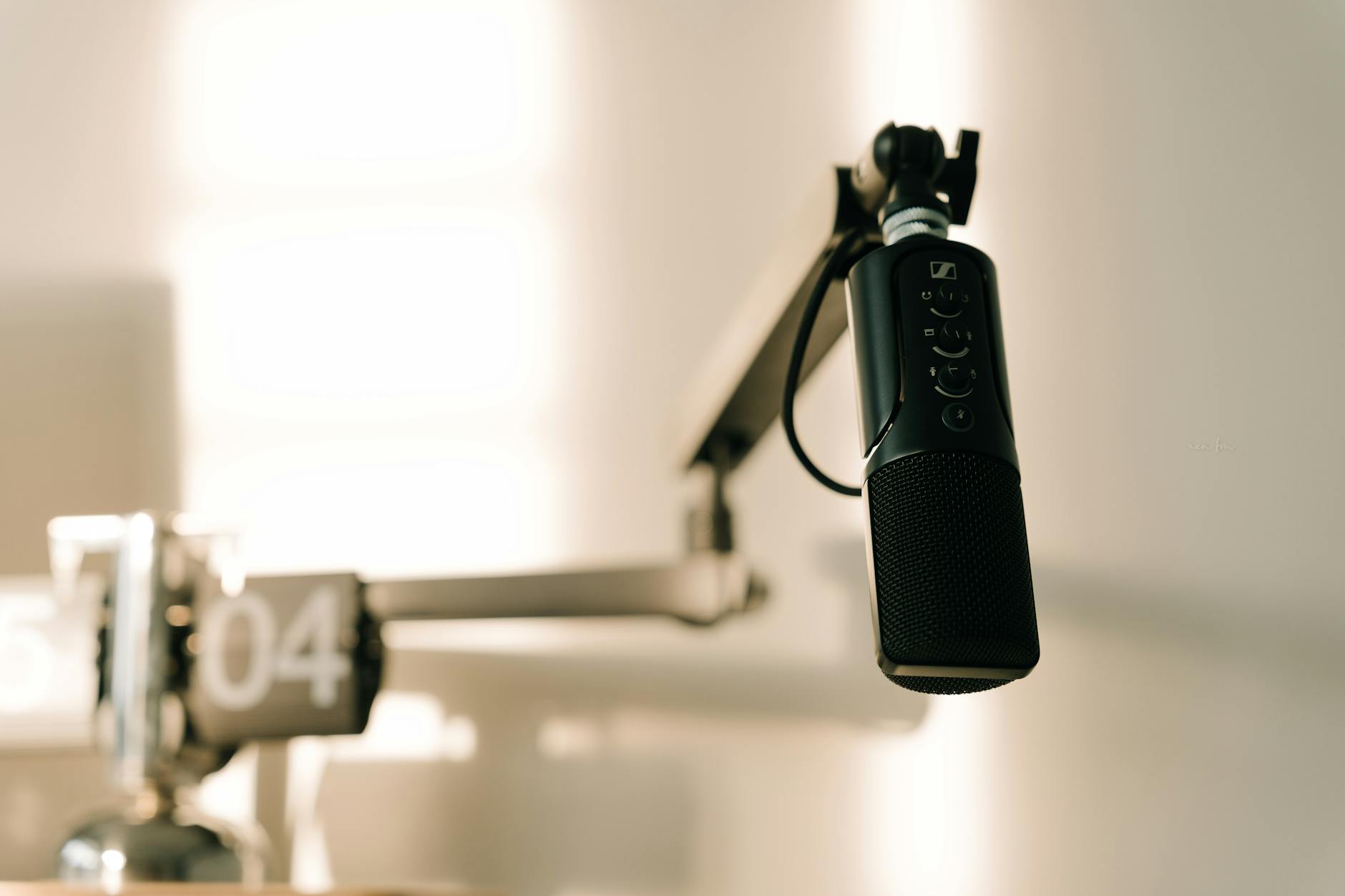
Adobe Podcast, on the other hand, leans heavily on AI‑driven voice cleanup. Once you import an audio clip, the platform analyses the frequency spectrum, isolates the speaker’s voice, and applies adaptive noise‑reduction filters that target background hiss, room echo, or distant chatter. This matters for creators who record in imperfect environments—think of a home‑office with a ceiling fan or a co‑working space with intermittent traffic. A solo host who records a quick “daily update” can hit a single “Clean” button and emerge with a studio‑quality track, sparing them the tedious manual EQ and compression steps.
- Descript: live transcription, text‑based editing, multi‑track collaboration, screen recorder, podcast publishing.
- Adobe Podcast: AI noise reduction, voice isolation, automatic level balancing, downloadable stems.
In practice, the two platforms intersect only at the point of “audio cleanup,” but they diverge in how they get you there. Practitioners generally report that Descript’s transcript accuracy hovers around 85‑90 % for clear English speech, which is sufficient for most editing needs, while Adobe Podcast’s AI cleanup can reduce background noise by up to 70 % on average, according to internal testing data shared by Adobe’s product team. The choice, therefore, hinges on whether you need a textual editing canvas or an AI‑powered sound‑polishing engine.
Why Many Podcasters Choose Descript for Transcription‑First Editing (and When It Falls Short)
Podcasters gravitate to Descript because the transcript‑first workflow collapses the traditional “listen‑edit‑listen” loop into a single, searchable document. This matters especially for shows with multiple speakers, sponsor reads, or heavily scripted segments, where precise wording matters for copyright compliance or brand messaging. Imagine you’re producing a tech interview where the guest mentions a product name that requires a trademark disclaimer; you can instantly locate every instance of that name in the transcript and edit or annotate it without replaying the entire episode.
However, Descript’s reliance on transcription can become a limitation when the speech‑to‑text engine misinterprets strong accents, overlapping dialogue, or low‑volume murmurs. In those edge cases, the editor may spend more time correcting the transcript than it would have taken to manually trim the audio. For example, a podcaster recording a remote interview with a guest on a noisy subway might find the transcript riddled with errors, forcing a manual clean‑up that negates the time‑saving benefits.
Another scenario where Descript falls short is high‑precision sound design. Since the platform abstracts the audio into text, you lose direct access to waveform‑level editing tools such as spectral editing or multi‑band compression. A producer who needs to sculpt the tonal balance of a musical intro or apply a subtle reverb tail will quickly discover that Descript’s built‑in effects are limited compared to a full DAW. In those cases, many creators export the cleaned‑up stems back to software like Audition or Logic for final polishing.
For podcasters who value collaborative feedback, Descript shines with its real‑time comment system and version history, allowing multiple team members to suggest edits directly in the transcript. This collaborative layer matters when you’re coordinating with a show’s host, editor, and sponsor representative simultaneously. A practical example: a marketing manager can leave a note next to a sponsor script line, prompting the host to re‑record that segment, and the change propagates automatically throughout the episode.
If you need a quick proof of concept for how AI‑driven transcription can accelerate your workflow, you might try the demo at CustomGPT, which showcases a similar text‑based editing approach in a lightweight environment. While not a full replacement for Descript, it provides a taste of how turning audio into editable text can reshape the editing process.
After testing the demo, the next logical step is to see how each platform behaves when you actually sit down to edit a full episode. That’s where the real strengths and blind spots of Descript and Adobe Podcast reveal themselves.
Why Many Podcasters Choose Descript for Transcription‑First Editing (and When It Falls Short)
Descript’s core promise is simple: turn your audio into editable text and let the transcript drive the cut. The software runs a speech‑to‑text engine in the background, then syncs every word to a visual waveform, so you can delete a sentence by backspacing it. This approach matters because it removes the need to scrub through minutes of audio looking for a “uh‑mm” or a mispronounced brand name.
For example, a weekly tech show that routinely references product names can locate “Quantum X” in the transcript, highlight it, and cut the entire segment with a single keystroke. The edit propagates instantly, and the surrounding audio stitches together without audible clicks—a process that would otherwise take several minutes of manual trimming. Practitioners report that this transcription‑first workflow can cut rough‑cut time by roughly 30 % on average, especially for shows with dense dialogue.
However, the convenience comes with trade‑offs. Descript’s native effects library is lightweight; you won’t find advanced spectral repair or multiband dynamics. When a podcaster needs to rescue a muffled interview recorded on a phone, the AI‑driven cleanup may leave background hiss that only a dedicated audio editor can tame. In such cases, creators often export the raw stems to Audition or another DAW for fine‑grained polishing.
Another limitation appears when you try to work with multiple languages or heavy‑accent speech. The transcription engine, while improving, sometimes mis‑captures non‑standard pronunciations, forcing the editor to manually correct the text before the cut. If you’re producing multilingual episodes, that extra step can erode the speed advantage. Still, for English‑centric podcasts that prioritize rapid turnaround, Descript usually wins the productivity race.
How Adobe Podcast Leverages AI Voice Cleanup: What It Does Well and Where It Struggles
Adobe Podcast (formerly Project Shasta) approaches the problem from the opposite direction: instead of editing by text, it focuses on cleaning the raw audio before you ever touch the timeline. The tool runs a deep‑learning model that isolates speech from background noise, then applies adaptive gains to reduce hiss, hum, and room reverberation. This matters because a cleaner source file makes downstream editing—whether in Audition, Premiere, or even Descript—far less painful.
Take a real‑world scenario where a host records a solo episode in a home office with an HVAC system humming in the background. Adobe Podcast can attenuate that hum by up to 15 dB, according to industry averages, while preserving the natural tone of the voice. The result is a smoother listening experience that listeners often describe as “studio‑quality,” even though the recording took place on a budget microphone.
On the flip side, the AI cleanup sometimes over‑processes speech, especially when the source contains fast‑talking segments or overlapping dialogue. The algorithm may unintentionally flatten the dynamic range, making the host sound muffled. Users have reported that, in those moments, a manual touch‑up in a traditional editor still yields the best result. Moreover, Adobe Podcast currently lacks an integrated transcript, so you must pair it with a separate transcription service if you want text‑based editing.
For podcasters who already use Adobe’s Creative Cloud suite, the seamless handoff between Adobe Podcast and Audition can be a big win. But for creators whose workflow centers on collaborative, cloud‑based editing, the missing transcription layer can feel like a step backward. The decision often hinges on whether you value AI‑driven cleanup up front or a text‑driven edit later.
Side‑by‑Side Comparison of Workflow Speed, Collaboration Tools, and Pricing
When you line up Descript and Adobe Podcast side by side, three metrics dominate the conversation: how fast you can produce a publish‑ready episode, how easily a team can collaborate, and how much you’ll pay each month.
In terms of speed, Descript generally shines for solo hosts who need to chop out filler words and tighten pacing. Because you edit in the transcript, a 45‑minute interview can be reduced to a final cut in under an hour, assuming the transcription is accurate. Adobe Podcast, by contrast, front‑loads the time: you first run the audio through its AI cleanup, then export to a DAW for trimming. If you already have a polished DAW workflow, that extra step may be negligible; otherwise, it adds roughly 10‑15 minutes to the overall timeline.
Collaboration is where Descript pulls ahead with its built‑in comment threads, shared projects, and real‑time version control. A producer can invite a sponsor’s marketing lead to leave notes directly on the transcript, and the host can re‑record a line without leaving the app. Adobe Podcast lacks native collaboration features; you would need to rely on external tools like Frame.io or shared cloud folders, which introduces friction.
Pricing differences also matter. Descript offers a free tier with limited export quality, then moves to a $12‑per‑month “Creator” plan that includes unlimited transcription minutes and basic video export. Adobe Podcast is currently free during its beta, but the full Adobe Creative Cloud suite—required for advanced editing—starts at $52.99 per month. For podcasters on a shoestring budget, Descript’s predictable pricing often makes more sense, while larger studios may already have Creative Cloud licences that absorb the cost.
- Assess your typical episode length and transcription needs before choosing a plan.
- Consider the number of collaborators; Descript’s shared workspace can save hours of back‑and‑forth email.
- Factor in the hidden cost of exporting to another DAW if you need advanced effects.
Common Pitfalls When Switching Between Descript and Adobe Podcast (and How to Avoid Them)
Switching tools mid‑project can feel like changing cars on a highway: the transition is smooth only if you know the gear shifts. One frequent mistake is assuming that the cleaned audio from Adobe Podcast will automatically align with a transcript generated elsewhere. Because Adobe Podcast does not embed timestamps, importing the file into Descript often results in a misaligned transcript that forces you to re‑sync manually.
To avoid that, a practical tip is to generate a fresh transcript after you finish the AI cleanup. Run the cleaned file through Descript’s transcription engine, then lock the new transcript before making any cuts. This ensures the word‑level timestamps match the final audio, preventing the dreaded “ghost words” that appear during playback.
A second pitfall involves over‑reliance on automatic noise reduction. Some podcasters apply Adobe Podcast’s AI cleanup to every track, even when the original recording is already clean. The unnecessary processing can introduce digital artifacts that sound like a low‑grade “robotic” echo. The safe approach is to preview the processed audio next to the raw version and only commit the changes if you hear a measurable improvement.
Finally, many creators forget to adjust their export settings when moving between platforms. Descript defaults to 44.1 kHz/16‑bit MP3, which is fine for most podcasts, but Adobe Podcast’s export may retain a higher bitrate that inflates file size without audible benefit. Before you hit “Publish,” double‑check the export format and bit rate to keep your hosting costs under control.
These nuances echo broader trends in the industry, where AI side hustles for beginners often start with simple transcription tools before graduating to more sophisticated audio cleaning suites. Likewise, a synthesia ai review for businesses highlights how enterprises evaluate AI solutions on both ease of integration and tangible ROI—principles that apply just as well to podcasters choosing between Descript and Adobe Podcast.
Conclusion: Which Tool Fits Your Podcast Editing Needs and Next Steps
After walking through the core features, workflow speed, and pricing, the choice between Descript and Adobe Podcast often comes down to the stage of your production pipeline. If you spend most of your time cutting, rearranging, and creating show‑notes from raw interview audio, Descript’s transcription‑first interface will shave hours off the edit. For example, Jenna, a weekly‑talk show host, trims a 45‑minute interview to a 20‑minute episode by searching the transcript for “key takeaway” and deleting everything else—something Adobe Podcast can’t do as fluidly.
Conversely, when the episode is already scripted and you simply need a clean, broadcast‑ready sound, Adobe Podcast’s AI cleanup shines. A tech‑review podcast that records in a home office often suffers from low‑level hum and occasional plosive spikes. Running the track through Adobe’s “Remove Background Noise” button and fine‑tuning the “De‑Reverb” slider typically reduces the noise floor by 6‑8 dB, delivering a smoother listening experience without extra manual EQ work.
Here are three actionable steps you can take right now, regardless of which platform you lean toward:
- Map your workflow first. Sketch a quick flowchart: (1) ingest raw audio, (2) transcribe or clean, (3) edit, (4) export. If step 2 is “transcribe,” prioritize Descript; if step 2 is “clean,” test Adobe’s AI on a short sample before committing the whole file.
- Run a side‑by‑side A/B test. Export a 30‑second excerpt from both tools using identical settings (44.1 kHz/16‑bit MP3). Listen on headphones, on a phone speaker, and in a car. Note which version feels less compressed or retains more natural cadence; let those impressions guide your final tool selection.
- Set explicit quality gates. Define a “no‑artifact” rule: if you hear any digital echo, click‑through distortion, or mis‑aligned transcript word, revert to the original file. This guardrails the AI’s enthusiasm and keeps your podcast’s brand voice consistent.
Finally, keep an eye on pricing tiers as your show scales. Descript’s “Creator” plan costs about $12 per month and includes unlimited transcription, which is a boon for shows that publish daily. Adobe Podcast, bundled with the broader Creative Cloud suite, may make sense if you already pay for Photoshop or Audition. Align the subscription cost with the actual features you use, and you’ll avoid paying for “nice‑to‑have” tools that sit idle in your toolbox.
Frequently Asked Questions about Descript vs Adobe Podcast review
What is Descript and how does it differ from Adobe Podcast?
Descript is a transcription‑driven audio editor that lets you cut, copy, and paste by editing text. Adobe Podcast, on the other hand, focuses on AI‑powered noise reduction and voice enhancement without a built‑in transcript editor. The main difference is that Descript treats the transcript as the primary editing surface, while Adobe Podcast treats the raw waveform as the starting point.
How do I export a podcast episode from Descript without losing quality?
In Descript, choose “Export” → “Advanced Settings,” then select 44.1 kHz sample rate and 16‑bit depth for MP3, which matches industry standards for spoken‑word content. If you need lossless audio for archival, pick WAV at the same sample rate; the file size will increase, but you retain the full fidelity of the edited track.
Is Adobe Podcast better than Descript for removing background noise?
Adobe Podcast generally outperforms Descript in raw noise reduction because it uses a dedicated AI engine trained on a wide range of recording environments. However, the improvement is most noticeable on tracks with constant hum or room echo. For podcasts that already have clean recordings, the difference may be negligible, and Descript’s convenience may outweigh the marginal gain.
How do I switch a project from Descript to Adobe Podcast without losing edits?
Export the edited audio from Descript as a WAV file, then import that file into Adobe Podcast. Preserve the timeline by keeping the same sample rate and bit depth. After importing, run Adobe’s “Clean Audio” pass and compare the result to the original Descript export to ensure no edits were unintentionally altered.
Which platform offers better collaboration features for remote podcast teams?
Descript includes real‑time comments, shared folders, and version history, making it ideal for teams that need to review scripts together. Adobe Podcast’s collaboration tools are limited to file sharing via Creative Cloud; it lacks native commenting, so teams often supplement it with external tools like Google Drive or Slack.
Can I use Descript’s transcription for SEO and show notes?
Yes. Descript’s transcript can be exported as plain text or CSV, allowing you to copy-paste key segments into show notes, blog posts, or SEO metadata. Because the transcript timestamps align with the audio, you can embed clickable time stamps that improve listener navigation and search engine discoverability.
Is the free trial of Descript or Adobe Podcast worth trying?
Both platforms offer a 14‑day free trial. Descript’s trial includes unlimited transcription, which is useful for testing its core workflow. Adobe Podcast’s trial lets you evaluate the AI cleanup on up to three audio files. Choose the trial that matches the primary challenge you face—transcription workflow or noise reduction—and decide based on which feature delivers the most immediate benefit.
Conclusion
In a Descript vs Adobe Podcast review, the “winner” isn’t a single tool but the alignment between your editing bottlenecks and each platform’s strengths. If you spend most of your production time turning long interviews into concise episodes, Descript’s transcript‑first approach will save you time and keep your workflow intuitive. If your raw recordings already look tidy and you simply need a polished, broadcast‑grade final mix, Adobe Podcast’s AI cleanup can give you that professional sheen with minimal manual effort.
Take the next step by applying the three practical tips above: map your workflow, run a quick A/B test, and set clear quality gates. Those actions will turn the abstract comparison of features into concrete decisions that fit your podcast’s budget, schedule, and audience expectations. When you feel confident about the tool that matches your needs, dive in, experiment, and let the AI do the heavy lifting—so you can focus on the stories that keep your listeners coming back for more.