What you get
A real example (it is built into the file)
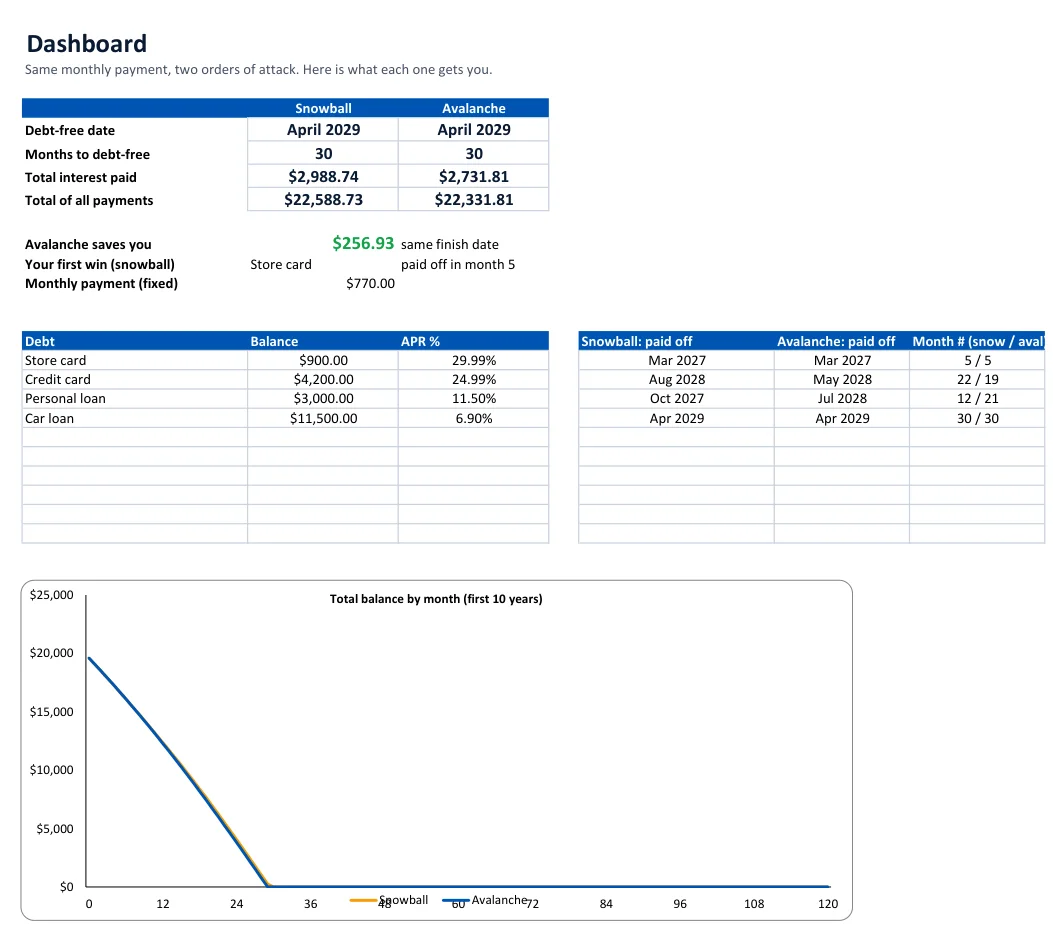
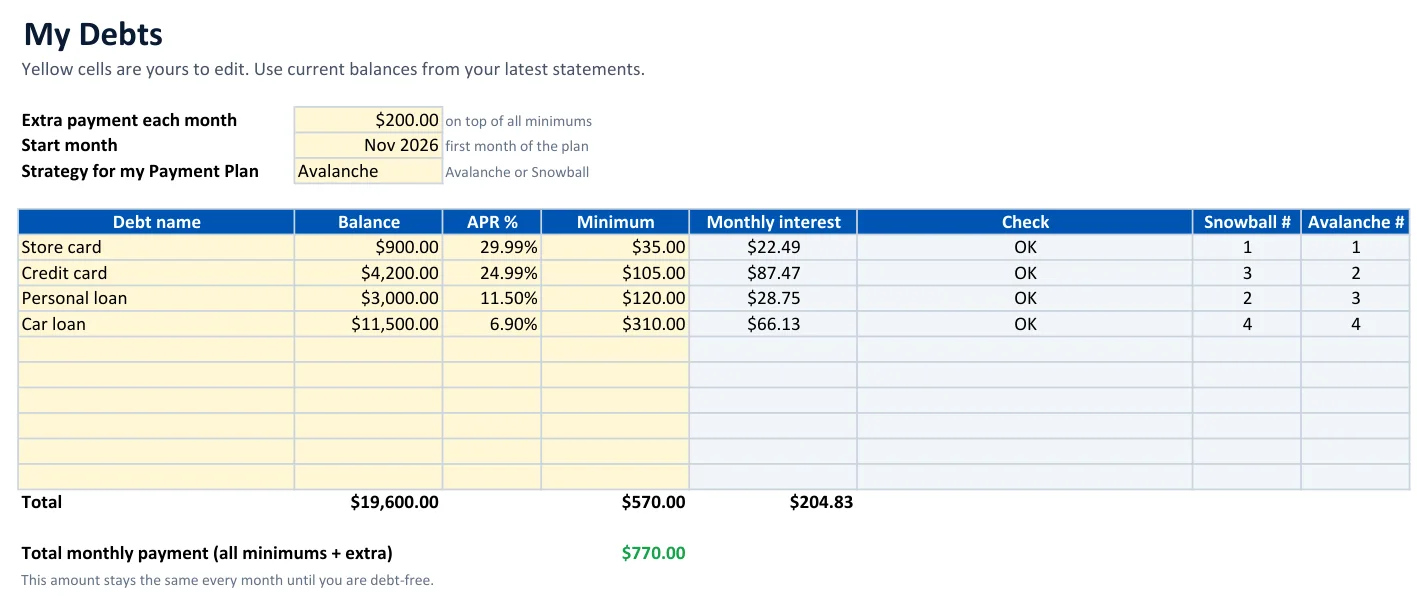
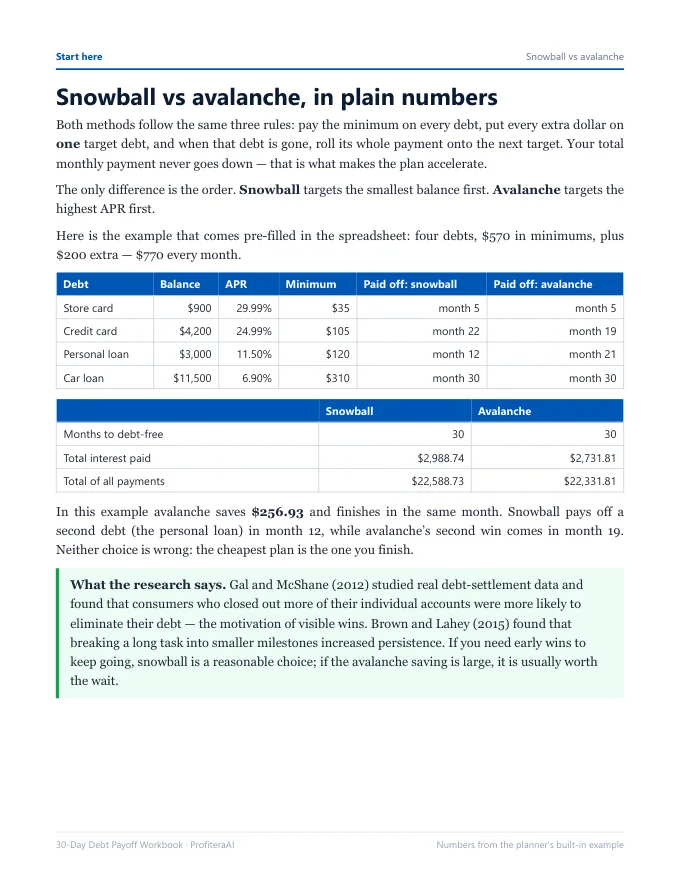
Four debts — a $900 store card at 29.99%, a $4,200 credit card at 24.99%, a $3,000 personal loan at 11.5% and an $11,500 car loan at 6.9% — with $570 in minimums plus $200 extra, $770 every month:
Snowball pays off a second debt in month 12; avalanche's second win comes in month 19. The planner shows you this trade-off for your debts, so you can choose with real numbers instead of opinions. Replace the example with your own debts and everything recalculates.
How it works
- Enter your debts in My Debts: balance, APR and minimum payment from your latest statements.
- Add an extra monthly amount — even $25 — and the month you start.
- Compare on the Dashboard: debt-free date, months, total interest, and the payoff month of every debt for both methods.
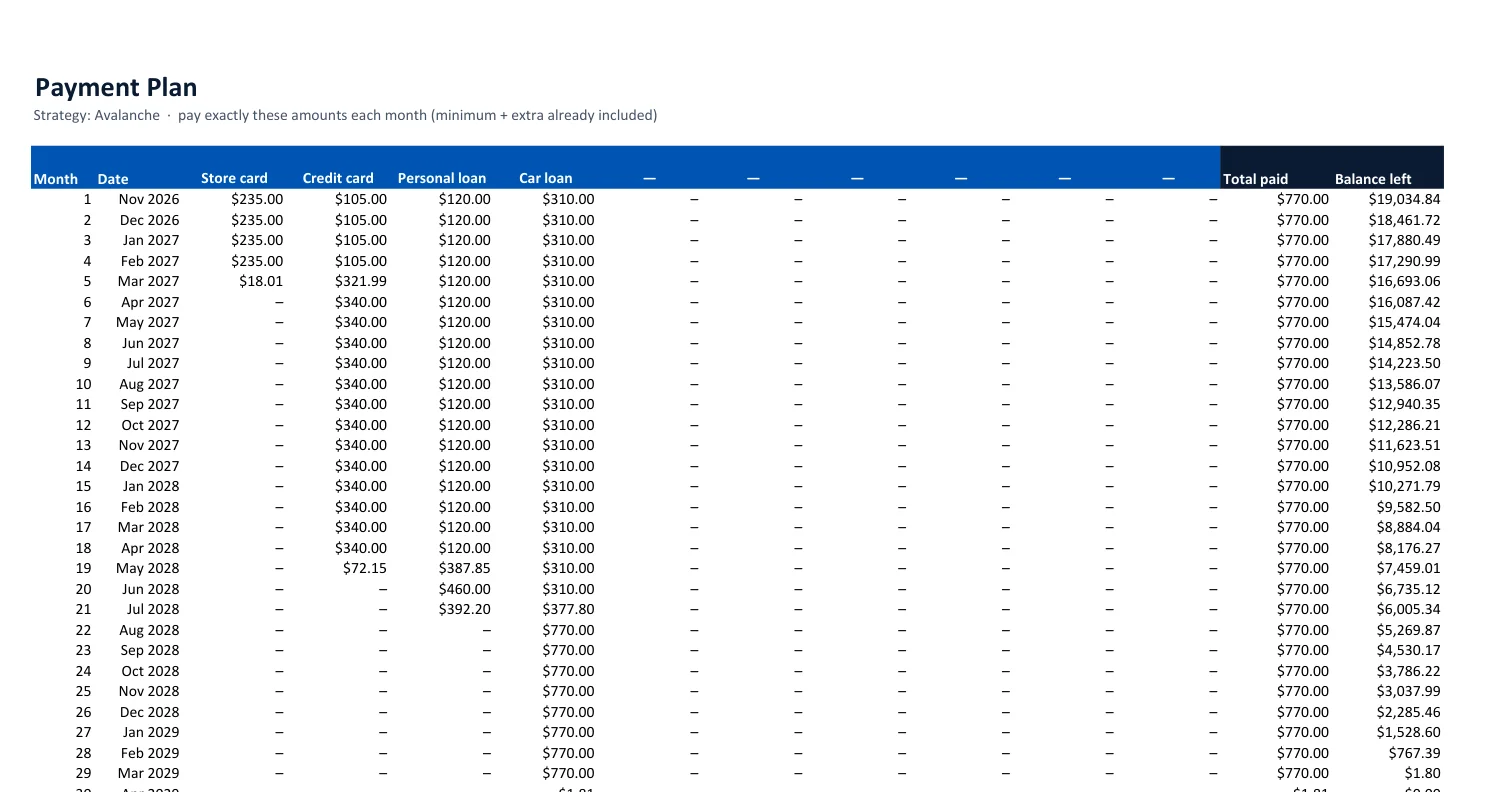
- Follow the Payment Plan each month and log what you paid in the Tracker. When one debt is gone, its payment rolls onto the next automatically.
The workbook walks you through the decisions that change the numbers: finding the extra payment, asking for lower rates, weighing a balance transfer, stopping new debt, and planning rollovers, rewards and 90-day reviews.
Why both methods?
Avalanche is cheapest on paper. But research on real consumers found that people who closed out individual accounts were more likely to eliminate their debt overall (Gal and McShane, Journal of Marketing Research, 2012). Seeing both side by side tells you what the motivation of quick wins would cost you — sometimes it is a few dollars, sometimes thousands.
Who it is for
- Anyone with two or more debts who wants a date and a plan, not just a balance.
- Couples who want one shared plan in Google Sheets.
- People who tried an app and want something they own, offline, with no account and no data shared.
Not for you if you have a single loan (your lender's amortization schedule is enough) or you need help negotiating with collectors — a nonprofit credit counselor is the right first call.
FAQ
Does it work in Google Sheets?
Yes. Upload the .xlsx file to Google Drive and open it with Google Sheets, or use File → Import in Sheets. The planner only uses standard functions (SUMPRODUCT, COUNTIF, EDATE, INDEX), so every number calculates the same way as in Excel.
Which version of Excel do I need?
Excel 2010 or newer on Windows or Mac, including Microsoft 365 and Excel for the web. No macros, so there are no security prompts. Apple Numbers can open the file, but we have only tested Excel and Google Sheets.
How many debts can I enter?
Up to 10 debts: credit cards, store cards, car loans, personal loans, medical bills, buy-now-pay-later, student loans. The plan runs up to 30 years (360 months).
What is the difference between snowball and avalanche?
Both pay the minimum on every debt and put all extra money on one target. Snowball targets the smallest balance first for quick wins; avalanche targets the highest APR first and pays the least interest. The planner shows both with the same monthly payment so you can see the real trade-off for your own debts.
How is interest calculated?
Monthly: APR ÷ 12 on the balance at the start of each month, which is how most credit cards and installment loans work. Your statements may differ slightly because lenders calculate interest daily, charge fees, or change rates, so update your balances every few months.
What is in the 30-day workbook?
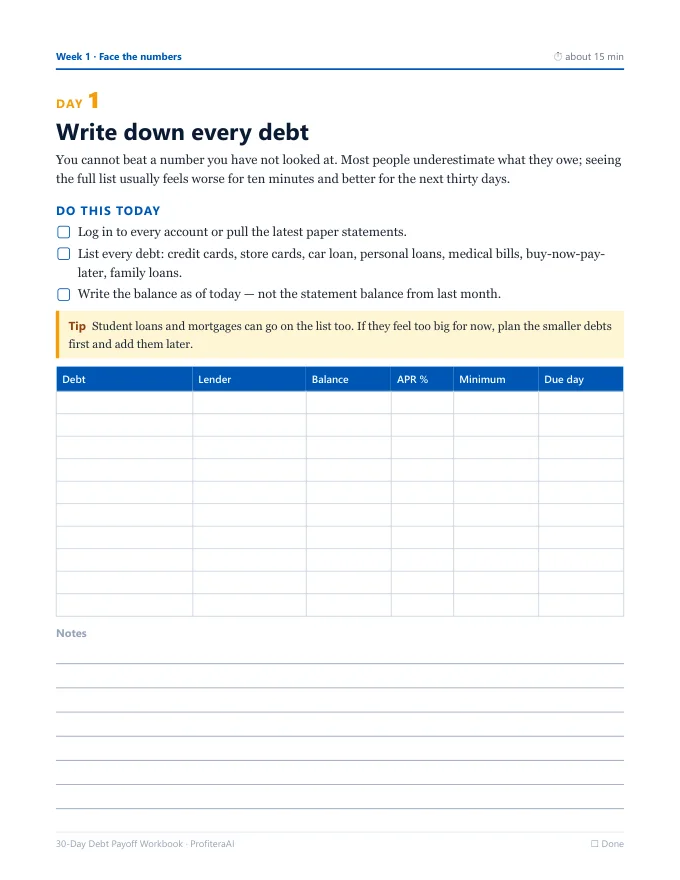
A 36-page printable PDF: one short task per day for 30 days, each with a worksheet. Week 1 lists and prices every debt, week 2 finds your extra payment, week 3 lowers the interest you pay, and week 4 locks the plan in with automation, rollovers and reviews.
How do I get the files?
Right after payment you see a download button, and we email you the link. It is one zip file with the spreadsheet, the workbook and a short read-me.
Is this financial advice?
No. It is an educational planning tool. If you cannot make your minimum payments, contact your lenders and consider a nonprofit credit counseling agency.
What if it is not for me?
Email us within 14 days for a full refund.
Educational tool, not financial advice. Personal-use license for the buyer. Refund policy · Terms