What you get

The seven leaks it finds
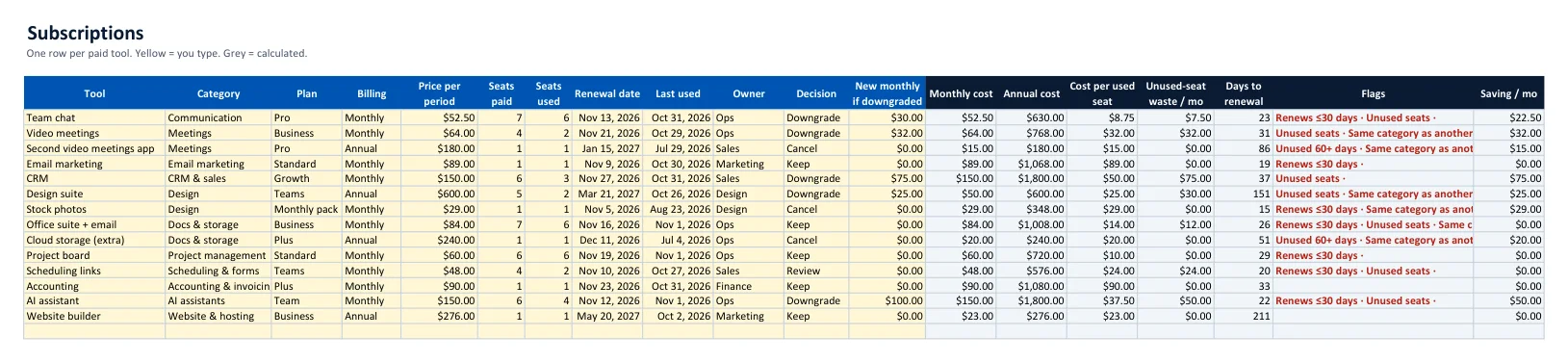
- Empty seats — paying for 7 users when 5 log in.
- Duplicates — two video apps, two storages, two schedulers.
- Zombie tools — nobody has opened them in 60 days.
- Surprise renewals — annual plans that renew before anyone decides.
- Over-bought tiers, forgotten add-ons and silent price rises.
How it works
- List every paid tool from your card statements and inbox — the guide shows exactly where to look (about 30 minutes).
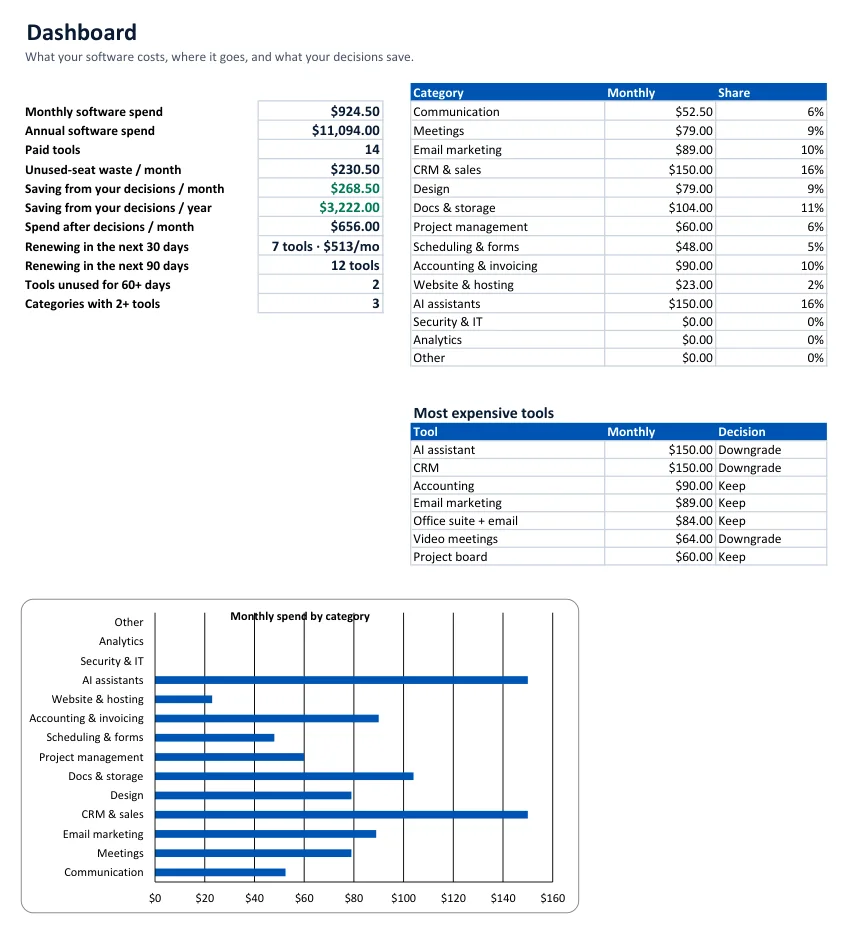
- Read the Dashboard: total spend, spend by category, unused-seat waste, duplicate categories and upcoming renewals.
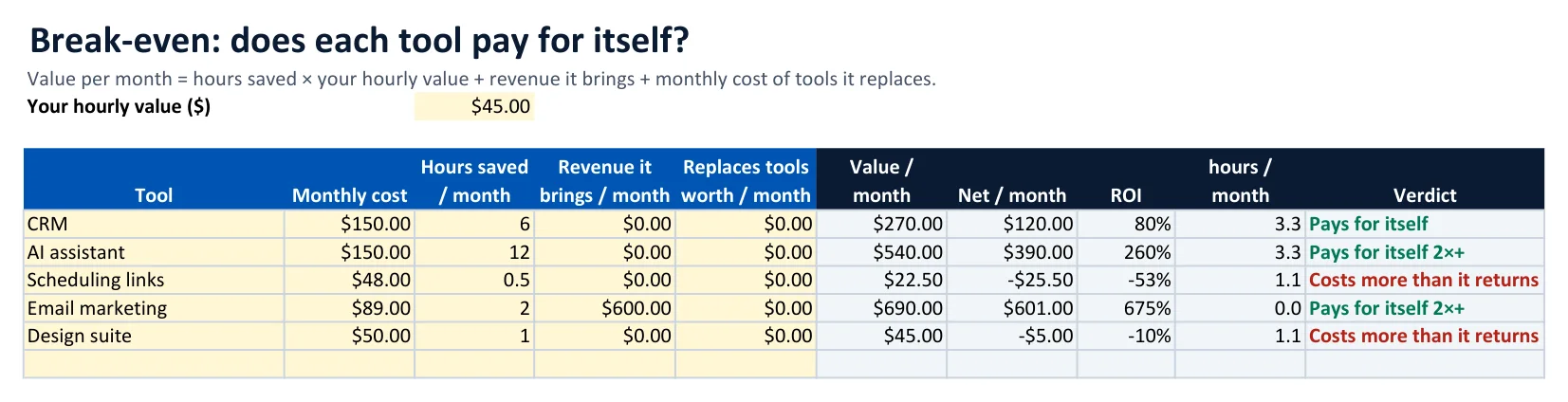
- Test the doubtful ones in Break-even and Annual vs Monthly.
- Decide keep, downgrade or cancel — the kit totals your monthly and yearly saving — and plan swaps with real payback numbers.
Why no price list?
Software prices and free tiers change every few months, so a list of "cheaper tools at $X" is out of date almost as soon as it is printed. The kit uses your invoice prices, and the guide tells you what to compare and what you give up in each category — so the answer stays right.
FAQ
Does it work in Google Sheets?
Yes. Upload the .xlsx to Google Drive and open it with Google Sheets. It uses only standard functions and no macros, so the numbers calculate the same way as in Excel.
How many subscriptions can I track?
Up to 40 tools in the audit list, 15 in the break-even sheet, 12 annual-vs-monthly comparisons and 10 planned swaps. Most small teams have 10 to 30 paid tools.
Does the guide list prices of specific tools?
No, on purpose. Software prices and free tiers change every few months, so a price list goes stale fast. The guide shows what to look for in each category, which cheaper options to test, what you give up, and how to work out whether switching really saves money. You enter the prices from your own invoices.
What does the break-even sheet calculate?
For each tool: hours saved per month times your hourly value, plus revenue it brings and the tools it replaces, compared with its monthly cost. You get the net value, ROI, the minimum hours it must save, and a plain verdict.
Who is it for?
Owners and managers of small businesses, agencies and freelancers with a handful to a few dozen software subscriptions who suspect they are paying for more than they use.
How do I get it?
Right after payment you see a download button, and we email you the link. One zip with the spreadsheet, the 17-page PDF guide and a read-me.
What if it is not for me?
Email us within 14 days for a full refund.
Business-use license for the buyer. Not financial or procurement advice. Refund policy · Terms